
✦Summary
A good shampoo bottle render lets you present a product before it goes into production, build a product page and launch a campaign without waiting for a photo shoot. AI tools can now create high-end advertising scenes, but they have a well-known weakness: they distort labels, logos and type. This article explains how to build a professional packaging mockup that combines an AI-generated scene with the brand's original artwork, so the label stays accurate down to the last letter.
A haircare brand is weeks away from launch. The bottle design is final, the label is approved, but the bottles themselves are still at the supplier. The website needs images, distributors want a catalog, and the social campaign is scheduled for next month. The classic solution was to wait for samples and book a studio shoot. The solution many try today is asking an AI tool for "a shampoo bottle with my logo." At first glance the result looks impressive. At second glance the letters drift, the logo mutates and the copy turns to gibberish.
There's a third way, and it's how we work at Karnaf Studio.
Why AI alone isn't enough for a packaging mockup
Image models excel at light, materials and atmosphere: water droplets, reflections, matte plastic or glass. They aren't built to preserve graphic accuracy. In practice that shows up as:
- Broken typography: letters warp — and with non-Latin scripts such as Hebrew, it's even more noticeable.
- A "reinterpreted" logo: the model draws something that resembles the logo, but isn't the logo.
- Shifting bottle proportions: a neck that's too long, a pump of the wrong size, or a volume that doesn't match the real product.
- Drifting brand colors: a carefully specified green becomes "roughly green."
On a product page or a shelf, "roughly" isn't good enough. Customers need to recognize the product they'll actually receive.
The process: AI scene, original artwork
The principle is simple: AI creates the world around the product; the brand graphics come from the source files.
Step 1: Gather source assets
- The final label file (vector, in the specified brand colors)
- Bottle dimensions and a drawing or photo of the mold from the supplier
- Pump or cap colors and finish (matte, gloss, transparent)
- The brand book, if there is one, to match mood and palette
Step 2: Creative brief for the scene
Before generating a single image, define the story. Natural and gentle? Professional and precise? Luxurious? That drives the background, materials (stone, water, wood, fabric), lighting and camera angle. For shampoo, soft side light plus a thin rim light that traces the bottle's contour works especially well, along with water droplets that tell the story without words.
Step 3: Generate the scene
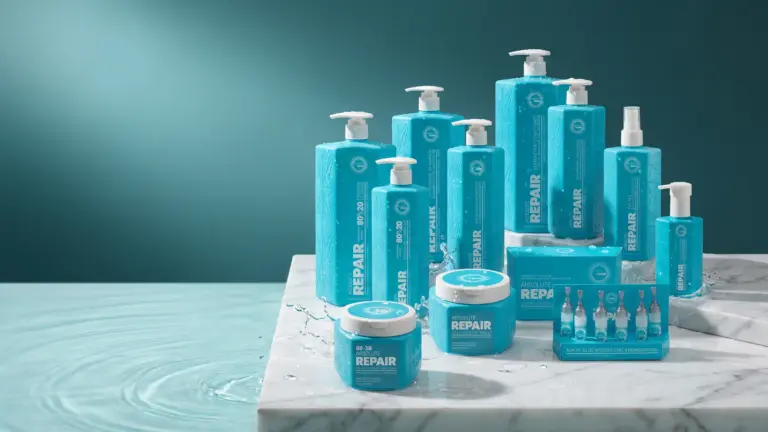
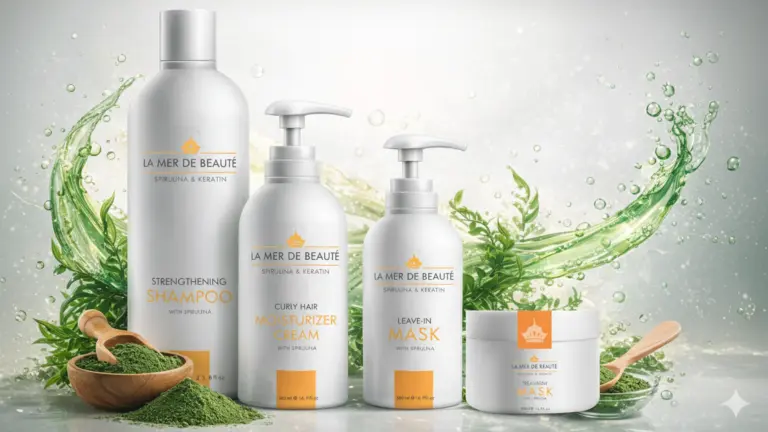
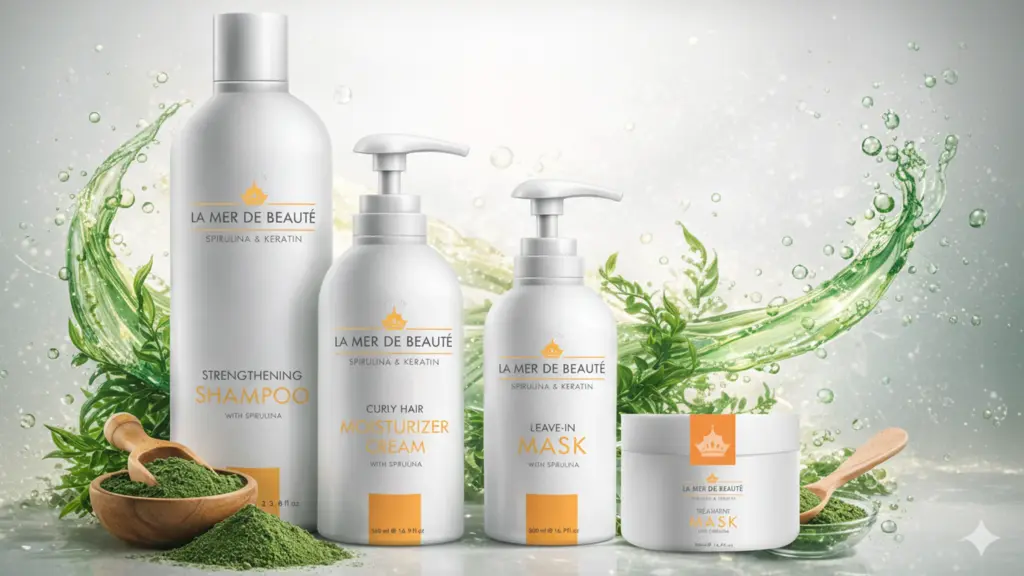
The scene is generated with a "blank" bottle — no label, but the right shape and material. At this stage we explore a few mood directions and pick one. This article's lead image shows exactly that: an AI-generated scene with a clean, unbranded bottle, ready for the label.
Step 4: Apply the label (compositing)
The original label file is warped to the bottle's shape — a cylindrical curve on a round bottle, something more complex on an oval one. Lighting, shading and reflections are then matched so the label looks printed on the material, not stuck on top of it. This is a manual, skilled step, and it's where the quality of the render is decided.
Step 5: Accuracy check
Before delivery, the render is compared with the source files: – Is every line of copy legible and identical to the source, letter by letter? – Is the logo identical, including spacing and stroke weight? – Are brand colors preserved? – Do the bottle's proportions match its real dimensions?
Step 6: Channel versions
From the same render we produce versions for the website (clean background, square), banners (wide, with room for a headline), social (vertical) and catalogs. Each file is optimized in size and format for its use.
Common mistakes that give a weak render away
Even with an accurate label, small details catch the eye — even if viewers can't say what bothered them:
- Implausible scale: a 250 ml bottle that looks family-sized because the droplets or props are the wrong size.
- Shadows that don't match the light: light from the right, shadow falling the wrong way — or no shadow at all, so the bottle "floats."
- Reflections that don't belong: a wet surface reflecting something that isn't in the frame.
- A "stuck-on" label: a flat, overly crisp label on a round bottle, without the shading and sheen of the material underneath.
- A changed pump or cap: the model "improved" the pump, and it's no longer the one the supplier makes.
Our accuracy check covers each of these before a render goes to the client.
Pros and limitations
Pros: – Present the product before bottles arrive from the supplier – Flexibility: the same product in different scenes and seasons without rebuilding a set – Fast adaptation to formats and campaigns – Explore moods before committing to production
Limitations: – A render doesn't replace a physical print proof — printed colors on plastic look different from a screen – Complex materials (tinted glass, clear liquid in a clear bottle) take more manual work – When a render is used as a product image, it must represent the real product faithfully: same size, color and label
What about real product photography?
Renders and photography complement each other. Often it makes sense to launch with renders and add studio photography once the product exists. The decision depends on your timeline, the number of variants and the channels where the images will appear.
FAQ
Can you create a render from just a supplier photo of the bottle? Yes. A good photo of the empty bottle and accurate dimensions are usually enough. The more precise the information, the more faithful the render.
Will the render work for print? It depends on the use. For digital, we produce screen-optimized files. For signage or a printed catalog, higher resolution and the right color space need to be planned in advance.
What if there are several scents or variants? That's where this method saves the most. Build one scene, then swap labels and cap colors across the product family.
In summary
A professional shampoo bottle render combines two worlds: AI's ability to create scene, light and material, and a designer's precision in applying the original label and checking every letter. Karnaf Studio, active since 2003, designs brands and packaging and uses AI tools to give brands launch imagery that's faster and more accurate.
Planning a beauty or haircare launch? See our branding portfolio or talk to us about renders for your product.
Note: the lead image is a conceptual AI-generated visualization created for this article, not a client product.
Let’s talk about your brand
Tell us about your project and we’ll get back to you.
Contact Karnaf Studio